Steps to Migrate Oracle EBS to OCI | Migration Timeline & FAQ
Migrating Oracle EBS to OCI: A Step-by-Step Overview
- 1.Migrating Oracle EBS to OCI: A Step-by-Step Overview
- 2.Why Migrate Oracle EBS to OCI? Strategic and Operational Drivers
- 3.Phase 1 — Pre-Migration Assessment and Discovery
- 4.Phase 2 — Choosing Your Migration Method and Executing the Move
- 5.Phase 3 — Testing, Validation and UAT on OCI
- 6.Realistic EBS to OCI Migration Timelines: What to Expect
This guide walks through the key steps to migrate EBS to OCI, from initial assessment through to post-migration validation, so you know what to expect at each stage.
- ✓Why OCI is the natural home for Oracle EBS workloads
- ✓The main migration phases from discovery to go-live
- ✓What technical and organisational preparation looks like in practice
- ✓Common risks and how to manage them before they become problems
- ✓How to validate performance and stability after migration
Migrating Oracle EBS to OCI: A Step-by-Step Overview
Moving Oracle EBS to Oracle Cloud Infrastructure is not a lift-and-shift you can knock out in a few weeks. It is a structured programme — one that touches your database, application tier, integrations, and every team that depends on the system to do their job.
Done properly, you get a more stable, scalable, and cost-efficient environment. Done poorly, you get outages, data loss, and months of expensive remediation.
The reason OCI has become the default destination for EBS is straightforward. Oracle designs and tests EBS on OCI — which means tighter database integration, better licensing economics, and a support model where Oracle is directly accountable for the underlying infrastructure. You are not forcing a proprietary application onto generic cloud hardware. You are running it on the platform it was built for.
That distinction matters more than most teams realise when they start planning.
This guide covers the full migration journey in sequence: pre-migration assessment, environment design, data migration, cutover planning, and post-migration stabilisation. Each phase builds on the last. Skipping steps to save time is, in our experience, the single most common reason migrations fail or run badly over budget.
A common mistake we see is treating the assessment phase as optional.
Teams jump straight to environment build and hit problems that a proper discovery would have caught in week one. The assessment is not a formality — it is what makes everything else predictable.
What follows is a practical breakdown of each stage:
- ✓The decisions you will need to make at each phase
- ✓The risks worth accounting for before they compound
- ✓What to have locked down before you commit to a go-live date
Related Oracle EBS Resources
Why Migrate Oracle EBS to OCI? Strategic and Operational Drivers
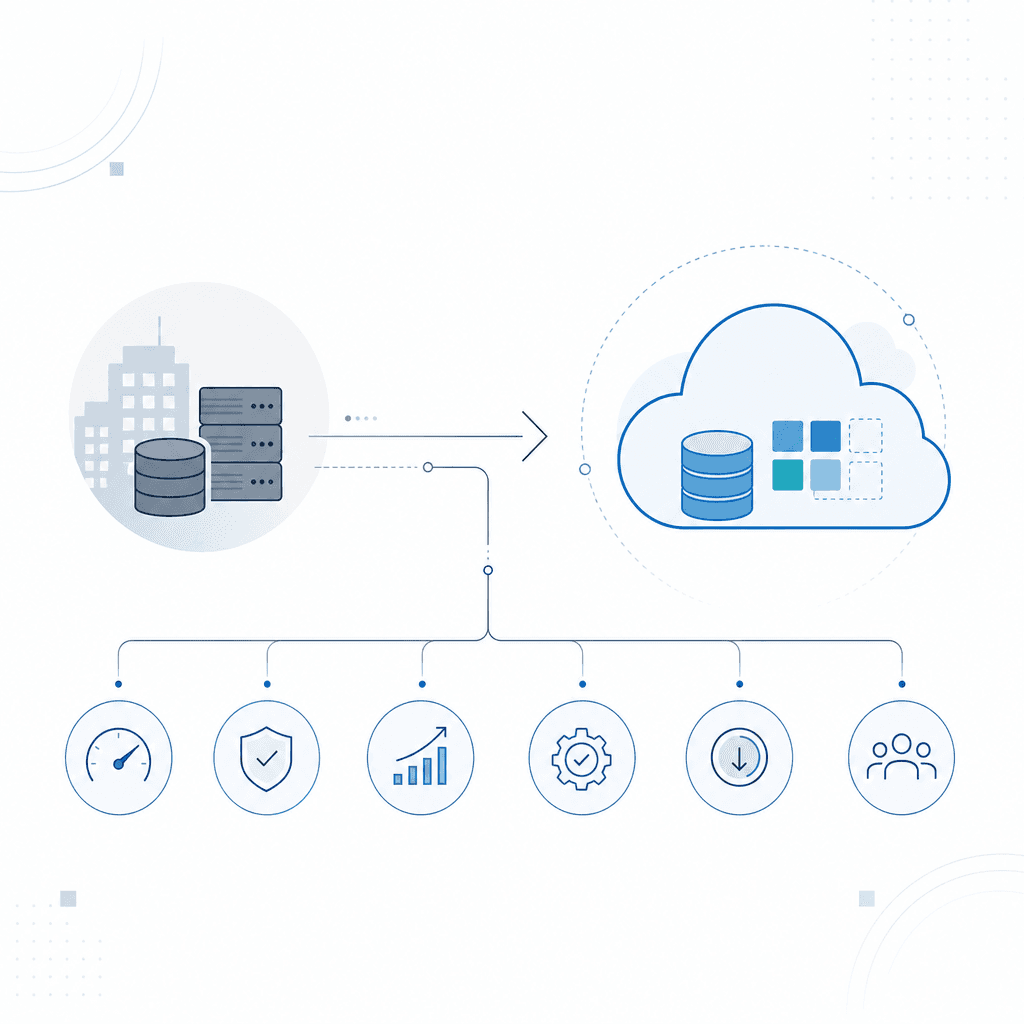
The decision to move Oracle E-Business Suite to Oracle Cloud Infrastructure rarely comes from a single trigger. It builds from a combination of pressure points: Oracle's clear commercial direction toward cloud-first licensing, approaching support deadlines, ageing on-premises hardware, and the operational overhead of maintaining infrastructure that was never designed for modern workloads. Understanding these drivers helps organisations build an honest business case — and avoid underestimating what staying on-premises actually costs.
Oracle's Cloud-First Licensing Direction
Oracle has made its priorities clear. Premier Support for EBS 12.2 runs through at least 2031. But new features, integrations, and AI capabilities are being built for cloud platforms — not EBS on-premises. Customers staying on-premises can keep the lights on. They just can't access the roadmap.
That gap compounds every year. The distance between what EBS on-premises can do and what Oracle's cloud-native tools offer keeps widening. Organisations that delay migration aren't simply deferring a technical task — they're deferring access to capabilities their competitors may already be using.
Support Lifecycle Matters
EBS 12.2 Premier Support runs to 2031, but Oracle's active development is cloud-focused. Understanding the full support timeline is important before committing to a migration schedule.
For a detailed breakdown of where EBS sits in Oracle's support timeline and what that means for planning, see our Oracle EBS support lifecycle guide.
Infrastructure Cost and Operational Overhead
On-premises EBS environments carry costs that are easy to underestimate when you're only looking at licensing.
Hardware refresh cycles, data centre contracts, DBA time, patching schedules, disaster recovery infrastructure — it adds up fast. And that's before performance degradation on ageing hardware forces a refresh that buys you a few more years of the same situation.
OCI changes the equation. Compute and storage are provisioned on demand. Hardware refresh becomes Oracle's problem. Spend shifts from capital expenditure to operational expenditure. For organisations with variable workloads — month-end processing peaks, seasonal demand spikes — being able to scale without overprovisioning for peak load is a concrete financial benefit, not a theoretical one.
Staying on-premises does not mean standing still — it means paying more to fall further behind.
Performance and Compatibility
This is an area we see consistently underestimated.
EBS on OCI runs on infrastructure Oracle has tuned specifically for its own software stack, and the performance difference is real. Faster batch processing, shorter concurrent manager run times, more predictable database behaviour — particularly compared with generic on-premises environments dealing with resource contention. Part of it is architecture: OCI's high-bandwidth, low-latency networking between compute and storage. Part of it is simply removing the overhead common in shared on-premises environments.
Oracle also offers EBS-specific certifications and optimisations for OCI, including Exadata Cloud Service for workloads where database performance is the primary constraint.
From what we see across EBS migrations, the performance improvements on OCI are most pronounced for organisations running heavy financial consolidations or complex manufacturing workflows — areas where batch processing times have historically been a pain point. Getting that infrastructure right before migration is as important as the migration itself.
Access to OCI-Native Services
Running EBS on OCI opens direct access to Oracle's broader cloud service catalogue — without the network latency and integration complexity that come with hybrid architectures. Oracle Analytics Cloud for reporting. Oracle Integration Cloud for connecting EBS to third-party systems. AI services applied directly to EBS data.
The tricky part isn't availability. These capabilities exist.
The problem on-premises is the friction. Building and maintaining integrations from a self-managed environment is expensive and slow. We see this constantly during technical audits — organisations with reporting and integration requirements sitting on the backlog for years, not because they were impossible, but because the effort from on-premises made them impractical. OCI removes that barrier.
OCI Services Unlock Real Value
Once EBS runs on OCI, connecting to Oracle Analytics Cloud, Integration Cloud, and AI services becomes structurally simpler — removing a significant barrier to projects that stalled in on-premises environments.
Building the Business Case
A common mistake we see is organisations framing migration purely as a cost exercise, then undervaluing the risk side of the ledger. The strongest business cases combine hard cost analysis — infrastructure savings, reduced administration overhead, hardware refresh avoidance — with a clear-eyed view of what staying put actually costs strategically.
What does it cost to run on ageing infrastructure through 2031? What's the competitive cost of sitting outside Oracle's product investment for the next several years?
Those questions belong in the business case too. The steps to migrate EBS to OCI begin with this foundation — because a migration that is technically well-executed but commercially poorly justified will struggle to get internal support. Getting the business case right is the first step.
Ready to build your EBS to OCI business case? Our team can help you scope the work and set realistic expectations.
Request a Migration AssessmentPhase 1 — Pre-Migration Assessment and Discovery
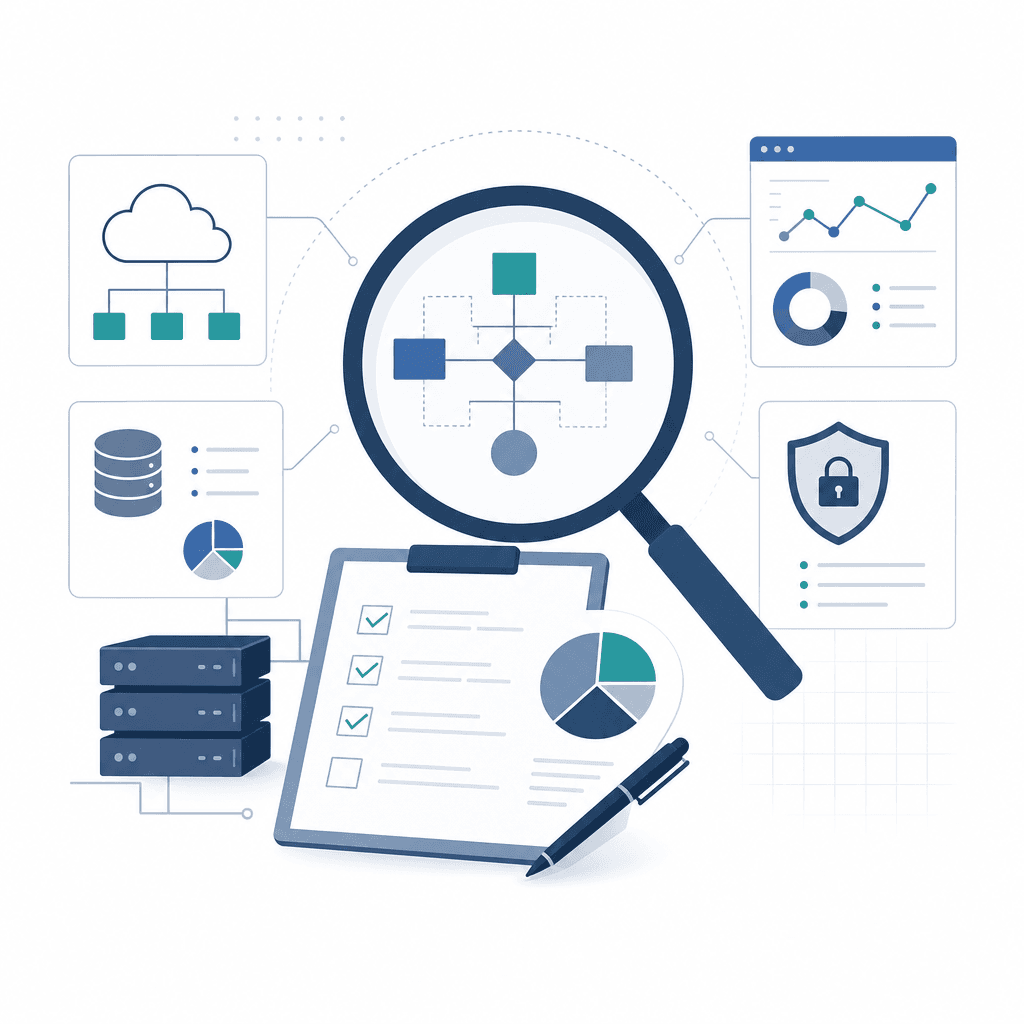
Before a single byte moves or a compute shape gets provisioned, you need a clear picture of what you're actually working with. This is the most important phase in the steps to migrate EBS to OCI. Mistakes made here don't stay contained — they compound at every stage that follows.
A thorough discovery gives you accurate scope, surfaces risks early, and stops expensive surprises from landing during cutover. When there's no time to deal with them cleanly.
This phase covers four core areas: your existing environment, your CEMLI inventory, your integrations, and your data volumes. Each one feeds directly into how the migration gets designed.
Environment Audit
Start with your current EBS architecture. Document the database version, OS platform, application tier configuration, patch levels, and any third-party components sitting alongside EBS. You also need to confirm which Oracle products are actually licensed and active.
It's more common than you'd expect to find modules in active use that never made it into the licence register.
Record hardware specs and current performance baselines — these become your benchmark for right-sizing OCI compute and storage shapes. Without them, you're guessing. And guessing on infrastructure sizing creates problems that follow you into production.
CEMLI Inventory
CEMLI: Customisations, Extensions, Modifications, Localisations, and Integrations. In most EBS environments that have been running for several years, the CEMLI footprint is substantial. It's also frequently underdocumented.
We see this constantly during technical audits.
Customisations built by contractors five years ago, inherited through acquisitions, added as quick fixes — nobody wrote them down, and nobody retired them either. Every CEMLI needs to be catalogued: what it does, which module it sits in, whether it's still actively used, and whether the underlying code is supported on the target EBS version and OCI environment.
Some customisations reference file system paths or database objects that will need remediation before or after migration. Our CEMLI support practice handles exactly this kind of work — including identifying what can be retired and what needs to be rewritten.
⚠ Undocumented CEMLIs
Many EBS environments carry customisations that were never formally logged — built by contractors, inherited through acquisitions, or added as quick fixes and forgotten. Running a discovery without a systematic code-level audit of custom objects in the database and file system will leave these hidden. They surface during testing as unexplained errors, often close to go-live.
Integration Mapping
EBS rarely sits on its own. It connects to HR systems, payroll platforms, third-party financial tools, EDI providers, and internal middleware — and each of those connections needs to be mapped properly.
What system is involved. What direction data flows. What the connection method is — database links, APIs, flat file transfers, message queues. Who owns the receiving end.
Integration dependencies are a common source of migration delays. If a connected system expects EBS on a specific IP range or hostname, that assumption breaks the moment you move to OCI. Our EBS integration team works through these dependency maps to identify what needs to be reconfigured, retested, or renegotiated with third-party vendors before cutover — not after.
Integration Mapping Saves Time
Integration failures are among the top causes of post-migration downtime. Mapping every connection before the project starts gives your team time to reconfigure, retest, and engage third-party vendors without pressure.
Data Volume Assessment
Assess the size of your EBS database — total size, tablespace breakdown, archived redo log volumes, and growth rate. This determines your migration method (export/import, Data Guard replication, or Oracle Zero Downtime Migration), your bandwidth requirements, and how long your cutover window actually needs to be.
Also look at large-volume transactional tables that might benefit from archiving or purging before the move.
Migrating ten years of inactive AP invoices isn't always necessary. Purging before migration reduces transfer time and keeps long-term OCI storage costs lower.
Pre-Migration Assessment Task Checklist
- ✓Document EBS version, database version, OS platform, and patch level
- ✓Record all licensed and active Oracle modules
- ✓Capture current hardware specs and performance baselines
- ✓Run a database-level audit of all custom objects (packages, triggers, views, directories)
- ✓Catalogue all CEMLIs with usage status and owning team
- ✓Flag CEMLIs that reference file system paths or deprecated database features
- ✓Map every inbound and outbound integration with connection method and data direction
- ✓Identify IP-dependent or hostname-dependent integration configurations
- ✓Measure total database size, tablespace breakdown, and growth rate
- ✓Identify archiving or purging opportunities before migration
- ✓Confirm network bandwidth available between source environment and OCI
- ✓Review security and compliance requirements that affect data handling during migration
A well-executed assessment typically takes two to four weeks, depending on environment complexity. Rushing it to move the project forward faster is one of the most reliable ways to extend the overall migration timeline.
Invest the time here. Every phase that follows runs more smoothly when you do.
Phase 2 — Choosing Your Migration Method and Executing the Move
With your assessment done, the next decision is how you actually move. And this matters more than most teams expect.
The steps to migrate EBS to OCI differ significantly depending on the method you choose. Each carries different trade-offs across downtime, cost, complexity, and what you can do with the environment afterwards. Picking the wrong approach is one of the most common reasons migrations run over budget or blow past their timelines.
The Three Primary Migration Approaches
Lift-and-shift (VM-based)
Lift-and-shift takes your existing EBS environment — application tier, database, configuration — and moves it to OCI with minimal changes. You replicate the current architecture onto OCI Compute instances and migrate the database using Oracle RMAN. Fastest route to OCI. Your application stack stays largely intact.
This suits organisations under time pressure, or those who want a stable OCI foundation before tackling re-platforming later. The trade-off is straightforward: you carry forward whatever inefficiencies already exist in your architecture.
Deploy-and-migrate (re-platform)
This approach builds a fresh EBS installation on OCI using Oracle's recommended architecture — typically on Oracle Exadata Database Service or Oracle Database Cloud Service — then migrates data and configurations into the new environment.
More complex. More time-intensive. But it lets you clear architectural debt, adopt current-release configurations, and take genuine advantage of OCI-native services rather than just rehosting what you had. Oracle Zero Downtime Migration (ZDM) fits well here, handling the physical database migration with minimal disruption to end users.
Hybrid model
A hybrid migration keeps parts of your EBS environment on-premises temporarily while moving other components to OCI. A common pattern: migrate the application tier and middle tier to OCI first, leave the database on-premises, then complete the database migration in a second phase.
We see this approach most often in organisations with strict change management processes, or where the EBS database supports other systems that aren't part of the migration scope.
Execution: Walking Through the Key Steps
Once you've chosen your method, execution follows a defined sequence. The steps below apply broadly across migration types — tooling and depth will vary, but the order holds.
EBS to OCI Migration Execution Phases
Step 1
OCI Tenancy Setup and Governance
Provision your OCI tenancy, define compartments, set up Identity and Access Management (IAM) policies, and establish tagging standards. Configure Oracle Cloud Infrastructure quotas to match the compute and storage requirements identified in your assessment.
Step 2
Network Architecture Configuration
Design and deploy your Virtual Cloud Network (VCN), subnets, security lists, and route tables. Establish connectivity between on-premises and OCI using FastConnect or Site-to-Site VPN. This network layer must be validated before any workload migration begins.
Step 3
EBS Application Tier Migration
Provision OCI Compute instances for the EBS application and web entry point tiers. Install or restore the application tier, configure AutoConfig, and validate connectivity to the database layer. For lift-and-shift, this involves cloning from the source environment.
Step 4
Database Migration Using RMAN or ZDM
For lift-and-shift, use RMAN to perform a backup-based restore to the OCI database target. For re-platform or near-zero downtime requirements, use Oracle Zero Downtime Migration (ZDM), which automates the migration workflow and manages redo log shipping to minimise the switchover window.
Step 5
Post-Migration Validation and Cutover
Run EBS health checks, validate critical business process flows, confirm integrations, and test print and concurrent request processing. Once validated, update DNS and load balancer configurations to route production traffic to OCI, then execute the formal cutover.
A Closer Look at Database Migration Tooling
RMAN is the right tool for lift-and-shift scenarios where you have a maintenance window to work with. You take a full backup of the source database, transfer it to OCI Object Storage or directly to the target, then restore and recover. The process is well-documented. Most Oracle DBAs know it well.
ZDM is a different situation.
Use it when downtime has to be kept to a minimum. It automates the end-to-end migration — source backup, transfer, restore, and ongoing redo log apply — so the target database stays in sync with the source right up until you're ready to cut over. ZDM also runs pre-checks automatically, which reduces the risk of a configuration issue surfacing mid-migration and forcing unplanned downtime.
One thing to confirm before you start either workflow: database version and character set compatibility between source and target. We see this come up in audits more than it should. It's a straightforward check that gets skipped under time pressure — and it's a frequent cause of failed restores and extended cutover windows.
Lift-and-Shift with RMAN: A Representative Scenario
Consider an organisation running EBS 12.2.10 on Oracle Database 19c on-premises, with a 4 TB database and a single-node application tier. They have a 48-hour maintenance window available. The team provisions an OCI Compute instance for the application tier and an Oracle Database Cloud Service instance for the database tier. An RMAN level-0 backup is taken on Friday evening and transferred to OCI Object Storage using OCI CLI. The database is restored and recovered on Saturday. The application tier is cloned and AutoConfig is run against the new database connection details. By Sunday afternoon, smoke testing is complete and DNS is updated. The organisation is live on OCI within the maintenance window, with no changes to the EBS application layer itself.
Network Considerations During Execution
This is the part teams consistently underestimate.
Network throughput between on-premises and OCI directly determines how long your database transfer takes. A 4 TB database over a 1 Gbps internet connection behaves very differently than over FastConnect at 10 Gbps. Calculate your expected transfer times before you set your cutover window. Build in buffer.
If you're using Site-to-Site VPN, test throughput under load before migration weekend. Not during it.
Security list rules are the other common gap. Review them against your EBS network port requirements — application tier to database, load balancer to application tier, any external integrations — before you build the OCI network. Getting this right the first time avoids troubleshooting firewall rules during a live migration, which is exactly where you don't want to be spending time.
Key Takeaways
- ✓Your choice of migration method — lift-and-shift, re-platform, or hybrid — should be driven by your available downtime window, architectural goals, and internal DBA capability.
- ✓Oracle Zero Downtime Migration (ZDM) is the strongest option when minimising cutover time is a hard requirement, as it automates redo log synchronisation up to the switchover point.
- ✓OCI tenancy setup and network architecture must be fully validated before migrating any workload — attempting to troubleshoot network issues during a live migration extends downtime.
- ✓Database version and character set compatibility between source and target must be confirmed before starting RMAN or ZDM migration workflows.
- ✓Transfer time for large databases is often the longest single step in a lift-and-shift migration; calculate this in advance and validate your network throughput before your cutover window.
- ✓Post-migration validation should cover EBS health checks, concurrent processing, integrations, and critical business flows before DNS cutover — not after.
Phase 3 — Testing, Validation and UAT on OCI
Once the data and application stack are on OCI, the instinct is to push straight to go-live. Resist it. Phase 3 exists to confirm that what landed on OCI is functionally correct, performs to the required standard, and is accepted by the people who actually use it.
Skipping this phase is one of the most reliable ways to end up with a post-migration incident and a rollback conversation nobody wants to have.
Four disciplines sit inside this phase: functional regression testing, performance benchmarking, integration smoke testing, and UAT. Each does a different job. None can cover for another.
Functional Regression Testing
Regression testing confirms that existing EBS functionality works as expected on the new infrastructure. Run your standard regression scripts across core modules — GL, AP, AR, PO, INV, and any custom extensions — then compare outputs against a known baseline from the source environment.
Pay particular attention to:
- Custom RICE objects (Reports, Interfaces, Conversions, Extensions) — these are frequent failure points after a platform change
- Personalisation and custom workflows, which can behave differently under a new middleware stack
- Tax configurations, rounding rules, and currency handling in financial modules
- Printer and output post-processor configurations, which get overlooked more often than they should
Document every defect with severity classification. All Severity 1 and Severity 2 issues need to be resolved and retested before UAT begins. That is not optional.
⚠ Rushing Regression Before Data Integrity Checks
Running functional regression before confirming that data migration completeness and integrity checks have passed wastes time. If source and target record counts do not reconcile, defects found during regression may have nothing to do with the application — they are data issues. Validate data first, then regression test.
Performance Benchmarking
OCI infrastructure can differ significantly from an on-premises environment. Network latency, storage I/O throughput, compute profile — all of it changes. Even when the application functions correctly, performance can still fall short.
We see this regularly on migrations where functional testing passed cleanly but batch jobs came in well outside baseline.
Establish benchmarks from the source environment before migration so you have something concrete to measure against. On OCI, the metrics that matter most are:
- Concurrent request completion times for high-volume batch jobs and scheduled processes
- Page load and form response times for the most frequently used EBS screens
- Database query execution plans — these can shift when moving to OCI Exadata or a different storage tier, sometimes improving, sometimes degrading
- Peak load behaviour — simulate month-end close or a payroll run to confirm the environment holds under pressure
If performance falls short, start at the infrastructure layer. Check compute shape, storage IOPS, and network bandwidth before assuming the problem is in the application or database. The tricky part is that teams often jump straight to query tuning when the real issue is a misconfigured storage tier.
60–80%
The proportion of post-migration performance issues that are attributable to infrastructure sizing or misconfiguration rather than application code, according to consistent findings from Oracle migration practice teams.
Source: Oracle Cloud Infrastructure Migration Best Practices Guide
Integration Smoke Testing
EBS rarely operates in isolation. HR systems, payment gateways, third-party logistics platforms, tax engines, internal data warehouses — after migration, every integration point needs to be tested before go-live.
So what does smoke testing actually cover here? It is not exhaustive. That should have happened in a lower environment. This is about confirming connections are live, credentials point to OCI endpoints, and basic end-to-end transactions complete without error.
For each integration, confirm:
- API endpoints and middleware configurations reference the OCI environment, not old on-premises addresses
- SSL certificates are valid and trusted by both sides of the connection
- A representative transaction has been sent and received successfully
- Error handling and alerting are functioning correctly
Any integration that cannot be smoke tested before go-live needs a documented risk and a contingency plan. Do not assume it will work because it worked before. That assumption has burned migrations before.
User Acceptance Testing
UAT is the final gate before go-live sign-off. Business users run it — not IT — against real scenarios drawn from day-to-day operations.
The goal is not defect discovery. That is regression testing's job. UAT confirms that the system as configured on OCI actually meets operational requirements.
Organise UAT by business process, not by module. Run the full procure-to-pay cycle end-to-end rather than testing each module in isolation. Cross-module issues surface this way — scripted tests often miss them entirely.
Provide structured test scripts with expected outcomes, but also leave room for exploratory testing. Experienced users will find paths that no script anticipated.
For broader context on how EBS testing disciplines fit across the platform lifecycle, the Oracle EBS testing guidance covers these methods in more depth.
Validation Gates Before Go-Live Sign-Off
Every one of the following gates needs to pass before go-live proceeds. Review them in a formal sign-off meeting with representation from IT, finance, operations, and the project sponsor.
If a gate cannot be cleared, make a formal decision — fix and retest, or accept documented risk. Proceeding with unresolved gates and no written risk acceptance is how migrations fail.
Go-Live Validation Gates for EBS on OCI
- ✓Data migration reconciliation report reviewed and approved — record counts, financial balances, and open transactions match source environment
- ✓All Severity 1 and Severity 2 regression defects resolved and retested successfully
- ✓Performance benchmarks meet or exceed baseline for batch processing, concurrent requests, and page response times
- ✓All integration smoke tests completed with documented evidence of successful end-to-end transactions
- ✓UAT sign-off obtained in writing from business process owners for each in-scope module
- ✓Cutover runbook reviewed and approved, including rollback procedures with defined trigger criteria
- ✓OCI monitoring and alerting configured and tested — dashboards, threshold alerts, and on-call escalation paths verified
- ✓Backup and recovery procedures tested on OCI — at least one full restore validated in the target environment
- ✓Security and access control audit completed — user roles, data access, and network security groups reviewed against the source baseline
- ✓Hypercare support plan confirmed — first-line support cover in place for the initial post-go-live period
Once every gate is passed and sign-off is documented, cutover can proceed with confidence. Any gate left open needs a decision attached to it. Not an assumption that it will sort itself out on the other side.
Realistic EBS to OCI Migration Timelines: What to Expect
The most common question we hear at the start of any EBS to OCI migration engagement is simple: how long is this actually going to take?
There's no clean answer. Timeline depends on how complex your EBS environment is, how many customisations have accumulated over the years, and how thoroughly your pre-migration assessment was done. What follows are practitioner-grounded ranges — not guarantees, but honest expectations based on what each stage of work actually involves.
Standard Environments: Relatively Clean, Single-Org
If you're running a manageable number of modules, limited customisations, and a single operating unit, you're in the best position possible. Expect a full migration — discovery through cutover — somewhere in the four to six month range.
That window covers infrastructure provisioning on OCI, data migration runs, functional testing, and a controlled go-live. The key assumption is that your CEMLI footprint is small and well-documented.
When it is, remediation and re-testing move quickly. When it isn't, you're already in the next tier.
Up to 70% of EBS customisations
Oracle has indicated that a significant proportion of EBS customisations can be retained without rework when migrating to OCI using a lift-and-shift approach, though this varies by environment and patch level.
Source: Oracle EBS on OCI Reference Architecture documentation
Moderately Complex Environments: Multi-Module, Some Customisation
This is where most organisations sit. Multiple EBS modules — Financials, Procurement, Order Management, maybe HR — with a mix of documented and undocumented customisations, plus third-party integrations that nobody has fully mapped in years.
Plan for six to nine months.
The extra time gets absorbed by CEMLI remediation, integration re-testing, and multiple data migration rehearsals before you can confidently schedule a cutover. Functional regression testing expands across modules. UAT coordination across business units adds scheduling friction that's easy to underestimate — and consistently does.
Multi-Module Migration Scope
An organisation running EBS Financials, Procurement, and HRMS with 40 active CEMLIs and three external integrations (payroll provider, warehouse management system, and a reporting tool) should budget for a six to eight month timeline. The integration re-pointing and regression testing across all three modules, combined with two or three full data migration rehearsals, accounts for the bulk of that time.
Heavily Customised, Multi-Org Environments
At the far end of the scale: multi-org, multi-currency environments with hundreds of CEMLIs, legacy integrations built on custom APIs, and years of accumulated modifications — some
Ready to Plan Your EBS to OCI Migration?
Our Oracle EBS migration practice works with organisations at every stage — from initial scoping through to post-go-live hypercare. Get in touch to discuss your environment and timelines.
Request a Migration AssessmentYou might also find helpful
Oracle EBS on OCI: Architecture and Design Considerations
How to design your EBS environment on OCI for performance, resilience, and cost efficiency.
Oracle EBS Managed Support
UK-led functional, technical and database support with clear SLAs and predictable monthly costs.
Oracle EBS DBA & Technical Support
Proactive database administration, monitoring, patching and performance tuning for EBS.
Oracle EBS Functional Support
Module-level troubleshooting, period-close cover and configuration expertise.
Oracle EBS Consultants
Off-site functional and technical consultants without permanent headcount overhead.
Talk to an Oracle EBS expert
Talk to APPSolve Group for clear, practical guidance from an experienced Oracle partner.
Get in touch about migrating Oracle EBS to OCI
Etienne and Daan and the wider APPSolve Group team can talk through your situation — no obligation, no generic sales pitch. Just a direct conversation about what a realistic path forward looks like.