Oracle EBS Archiving & Purging: Managing EBS Database Size
Controlling Oracle EBS Database Growth Before It Becomes a Crisis
- 1.Controlling Oracle EBS Database Growth Before It Becomes a Crisis
- 2.Why Oracle EBS Database Size Is a Strategic Concern
- 3.Oracle EBS Purge Programs: What They Are and How to Use Them Safely
- 4.Designing an Oracle EBS Archiving Strategy
- 5.Oracle EBS Archive Managed Services: Ongoing Governance
- 6.Performance and Cost Benefits of Proactive EBS Data Management
Uncontrolled Oracle EBS database growth is a performance, cost, and compliance risk that requires ongoing managed archiving and purging — not a one-time cleanup.
- ✓Database bloat in Oracle EBS directly degrades application performance and drives up storage costs
- ✓Compliance exposure increases when transactional data is retained beyond policy or regulatory limits
- ✓Archiving and purging must be treated as a continuous, managed discipline rather than a periodic project
- ✓Oracle EBS archive managed services provide the structure and expertise to keep growth under control
- ✓Proactive data lifecycle management protects system stability as transaction volumes scale over time
Controlling Oracle EBS Database Growth Before It Becomes a Crisis
Every Oracle E-Business Suite environment accumulates data. Purchase orders, journal entries, inventory transactions, workflow history, concurrent request logs — it all stacks up. And it never stops.
Left unmanaged, that growth creates three business risks. The tricky part is they tend to make each other worse.
Performance doesn't fall off a cliff. It erodes. Table sizes grow, query execution plans shift, indexes lose efficiency. Batch jobs that used to finish overnight start bleeding into business hours. The decline is gradual enough that teams absorb it — adjusting schedules, accepting slower reports — until one day they can't absorb it anymore.
Storage costs are easy to underestimate until they're not. On-premises environments hit capacity thresholds that force unplanned hardware spend. Cloud-hosted EBS instances generate storage bills that creep up quarter after quarter. Neither outcome gets budgeted for.
Both are avoidable.
Compliance exposure grows with every unreviewed record. Most industries carry specific retention obligations. Holding transactional data longer than policy allows — or failing to produce records when requested — creates real audit risk. Without a defined data lifecycle, you're usually exposed on both counts simultaneously.
So what does the typical response look like? Most organisations treat database cleanup as a project. Allocate time, run purge programs, close the ticket. We see this constantly, and it consistently fails — because the data generation doesn't stop. Transaction volumes grow with the business. New modules add new tables. Without a repeatable process, the same problem is back within 12 to 18 months.
Oracle EBS archive managed services treats this as an ongoing operational discipline instead. Scheduled purging tied to your actual retention policies. Archive strategies that keep historical data accessible without leaving it in the active database. Regular monitoring so table growth never quietly reaches a critical point.
The practical work has several layers:
- ✓Identifying which standard EBS purge programs apply to your modules
- ✓Configuring them with the right parameters
- ✓Validating that purges complete cleanly
- ✓Archiving records that need to be kept but have no business sitting in the production schema
Each of these steps requires EBS-specific knowledge. The concurrent programs vary by module, some have prerequisite steps, and running them incorrectly can create data integrity problems. That's not a corner case. In audits, it shows up more often than most teams expect.
Done properly: smaller active database, more stable execution plans, shorter backup windows, and a documented data lifecycle your compliance team can actually point to.
Request an AssessmentDone reactively: an emergency every few years, with a tighter deadline each time.
Related Oracle EBS Resources
The organisations that handle EBS database growth well have one thing in common: they stopped treating it as technical housekeeping. It's a business risk function — with defined ownership, scheduled activity, and someone accountable for outcomes when things drift.
Why Oracle EBS Database Size Is a Strategic Concern
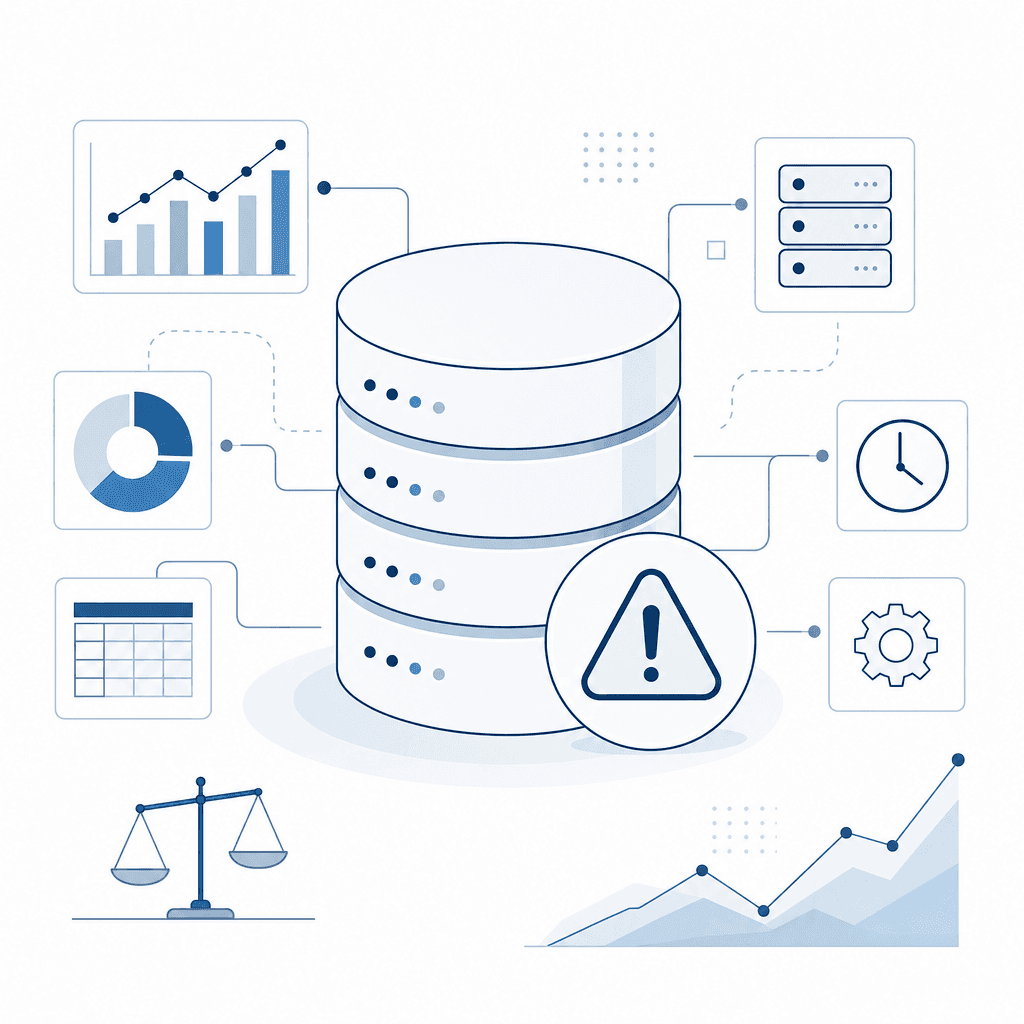
Oracle EBS databases don't grow linearly. They compound.
Each active module adds transactional volume at its own rate. General Ledger accumulates journal entries, period balances, and subledger accounting lines. AP and AR generate invoices, payments, receipts, and aging records every period. Inventory and Work in Process produce movement transactions, lot records, and cost layers that persist long after the physical goods are gone. HR and Payroll retain employee records, assignment histories, and payroll runs spanning years — sometimes decades.
Run these modules in parallel, which is standard for most mid-size and enterprise EBS deployments, and the database is absorbing high-volume data from multiple directions simultaneously.
The issue isn't just storage cost. Large databases slow concurrent processing, stretch batch job windows, push backup and recovery times out, and raise the real risk of hitting performance thresholds that affect users during peak periods. These aren't theoretical consequences. They show up in practice.
3–5 years
Based on patterns observed across client EBS environments, most organisations begin experiencing measurable performance degradation and extended batch windows within three to five years of go-live if no archiving or data management strategy is in place.
Source: AppsolveGroup client engagement observations
So what actually gets database growth under control? It starts with distinguishing between three categories of data that coexist inside every EBS instance.
- Active transactional data — open purchase orders, current-period GL entries, active employee records. This supports live operations and stays put.
- Historical data — closed, settled, or superseded records retained for regulatory, audit, or reporting purposes.
- Purgeable data — records that have passed their retention requirement with no remaining legal or business obligation.
Treating all three the same — leaving everything in the primary production schema indefinitely — is the root cause of uncontrolled growth in most EBS environments we work with.
- Archive vs. Purge in Oracle EBS
- In Oracle EBS, archiving means moving closed or historical transactional data out of active production tables into a separate, queryable store while preserving it for compliance and reporting, whereas purging means permanently deleting data that has met its retention expiry and is no longer required for any legal, audit, or operational purpose.
Oracle does provide native archiving and purging utilities within EBS — the Payables Invoice Archive program, GL Archive and Purge, Inventory Transaction Purge, and others. These tools require careful configuration, correct sequencing, and dependency management to run safely.
A common mistake we see is running a purge against the wrong dataset, or archiving before dependent subledger records are fully closed. That breaks reconciliation and leaves audit trails incomplete. Ad hoc or unmanaged approaches are exactly where this risk tends to surface.
Not All Old Data Is Safe to Remove
Historical data in EBS is often interdependent across modules. Archiving AP records without first confirming GL period closure and subledger accounting completion can break downstream reconciliation and audit trails.
Index bloat can seriously hurt SEO. And the same logic applies here — leaving unmanaged data to accumulate quietly creates compounding problems that are expensive to fix later.
For organisations running Oracle EBS archive managed services, classifying data isn't a one-time project. It's an ongoing governance function. Retention policies change. Regulatory requirements evolve. New transaction volumes enter the system every period. A managed service approach applies consistent rules across modules, aligns archive and purge cycles with business calendars, and validates data integrity before and after each run — keeping database size in check without creating compliance exposure.
Oracle EBS Purge Programs: What They Are and How to Use Them Safely
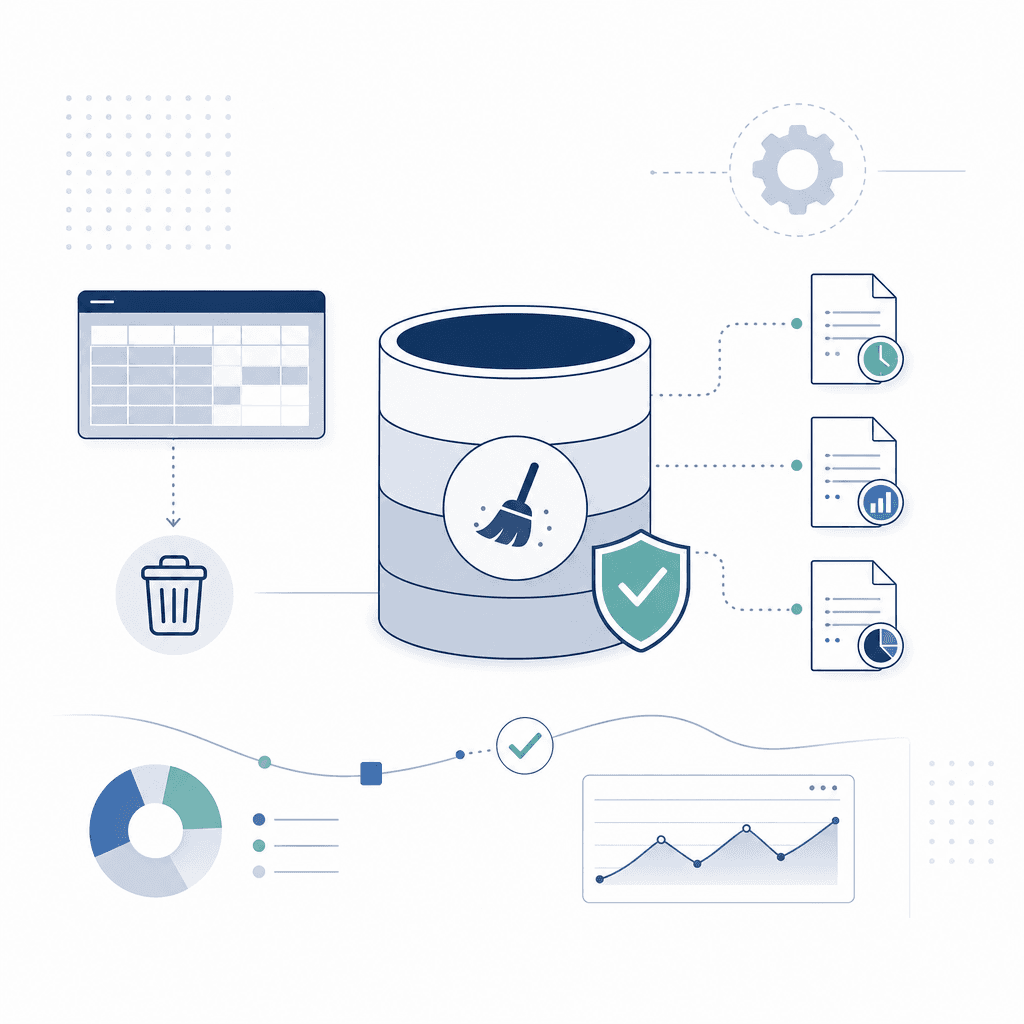
Oracle E-Business Suite ships with native purge programs built specifically to remove obsolete transactional data from the database. When used correctly — and with proper DBA oversight — they're one of the most effective tools for controlling database growth as part of a broader oracle ebs archive managed services strategy.
Used incorrectly, they cause irreversible data loss and break dependent processes.
That's not a hypothetical. We see it happen.
Native Purge Programs Across Key Modules
Oracle EBS includes purge programs at both the infrastructure and module level. Knowing which program does what — and what it touches — matters before you run anything in production.
Concurrent Request Purge
The Purge Concurrent Request and/or Manager Data program removes completed concurrent requests, their log files, and output files from FND tables. These records accumulate fast. The program accepts parameters for request age, specific programs, and whether to delete associated files. Get those parameters wrong and you'll remove output files users are still actively referencing.
Workflow Purge
The Workflow Background Process and the dedicated Purge Obsolete Workflow Runtime Data program clean up completed, errored, or deferred workflow items from WF_ITEMS, WF_ITEM_ACTIVITY_STATUSES, and related tables. Workflow data builds up silently. Most teams don't notice until it's already a problem.
Before purging, confirm that no open business events or notifications are pending against those workflow items. Purging active items corrupts process integrity.
Interface Table Purge
Interface tables — used by AutoInvoice, Payables Open Interface Import, Order Import, and others — retain rows after processing, both successful and errored. Module-specific purge programs handle each one: Purge Interface Tables in Receivables, Purge Purchasing Open Interface Data in Procurement, and equivalent programs across other modules.
Only target rows with a fully processed or explicitly failed status. Anything still in process or pending retry must be excluded.
Module-Specific Purge Programs
Individual modules carry their own purge routines. The key ones we work with regularly:
- Order Management: Purge Sales Orders removes fully closed orders and lines from OE tables. Exclude orders with open holds, active returns, or pending invoicing.
- Accounts Payable: The Payables Purge program removes fully paid, closed invoices. Invoices tied to open tax or audit requirements must be retained per your organisation's policy.
- General Ledger: Purge Journal Entries removes imported journals after posting. Unposted or partially posted batches cannot be safely purged.
- System Administrator / AOL: Purge Signon Audit Data clears login history from FND_LOGIN tables.
Pre-Purge Dependencies: What to Check Before You Run Anything
Purge programs don't check for downstream dependencies. That responsibility sits with your DBA or managed services team. Every time.
Status validation. Only records with a fully closed, completed, or processed status should be in scope. Anything ambiguous — partially applied, pending, in error — needs manual review before it goes near a purge run.
Retention policy alignment. Your legal, audit, or contractual retention requirements set the minimum age threshold. Running a purge against records still inside your retention window creates compliance exposure.
A common mistake we see: teams inherit a purge schedule they didn't set up themselves and run it without checking what the original thresholds were based on.
Cross-module dependencies. A record in one module often underpins records in another. A fully paid AP invoice might still be referenced by an active fixed asset or an open audit query. Purging it without checking those references breaks links in reporting and subledger reconciliation — and the breakage usually surfaces weeks later, not immediately.
Archive-first verification. Confirm the archive completed and is queryable before the purge runs. Purging without a verified archive removes your only recovery path.
Testing in a Non-Production Environment First
No purge program should run in production without being validated in a test or UAT environment that mirrors your production data set.
This isn't a formality. It's how you catch parameter errors, unexpected record counts, and performance impacts before they affect live data.
Run the purge with the exact parameters you plan to use in production. Review the output: how many records were selected, which tables were affected, how long it ran. If the record count is significantly higher or lower than expected, stop and investigate. Don't assume it's fine.
Also watch concurrent manager load during test runs. Some purge programs generate significant I/O, and running them during peak hours in production — even with correct parameters — can drag down overall system performance.
Safe Purge Execution: Phase-by-Phase Approach
Phase 1
Define Scope and Retention Rules
Identify which modules and programs are in scope. Confirm minimum retention thresholds with legal, finance, and audit stakeholders before setting any date parameters.
Phase 2
Validate Pre-Purge Dependencies
Check record statuses, cross-module references, and any open transactions that overlap with the target data set. Flag exceptions for manual review.
Phase 3
Run Archive and Confirm Completeness
Execute the archive step for the target data set. Verify the archive is complete and that records are retrievable before moving to purge.
Phase 4
Test Purge in Non-Production
Run the purge program with production-equivalent parameters in a test environment. Review record counts, affected tables, runtime, and any errors before signing off.
Phase 5
Execute in Production with DBA Oversight
Run the purge in production during a low-activity window. A DBA should monitor the session, watch for locking or performance issues, and be ready to intervene if needed.
Phase 6
Post-Purge Validation
Confirm record counts, check that dependent processes are intact, run key reports to validate data integrity, and document the purge run for audit purposes.
Backup Requirements
A full, verified database backup must exist before any purge program runs in production. Non-negotiable.
If a purge executes against the wrong data set — wrong date range, wrong status filter, wrong module — there is no undo. The only recovery path is restoring from backup, which carries its own time cost and operational disruption.
For large purge operations, consider a targeted tablespace-level backup of the most affected tables on top of your standard full backup. It gives you a faster recovery option if only specific tables are impacted.
⛔ Purge Operations Are Irreversible
Once a purge program completes, the deleted records cannot be recovered from the database. There is no rollback option after commit. Every production purge must be preceded by a verified backup, a confirmed archive (where applicable), and sign-off from a qualified DBA. Do not allow purge programs to run unattended or without pre-validated parameters. Running the wrong parameters against a production system can result in permanent loss of transactional history across one or more modules.
DBA Oversight: Why It Matters
Purge programs interact directly with core EBS tables. The tricky part is that a poorly configured purge job can cause table-level locking that blocks concurrent processing, generate undo segment pressure affecting the entire database instance, or silently complete with errors that go unnoticed until a downstream process fails days later.
Active involvement — not just availability — is what's needed from a DBA.
That means reviewing the execution plan before the program runs, monitoring the session during execution, and validating the outcome against expected results.
For organisations without in-house Oracle DBA capacity, a managed services provider with dedicated DBA technical support is the practical alternative. Trying to run purge programs without that oversight is where things go wrong.
Safe Purge Execution Steps
- ✓Confirm data retention policy thresholds with legal and finance stakeholders
- ✓Identify all modules and purge programs in scope for the current run
- ✓Validate record statuses — exclude any records that are open, pending, or in error
- ✓Check cross-module dependencies for all records in the target data set
- ✓Complete the archive step and verify the archive is queryable before proceeding
- ✓Take a full verified database backup immediately before the production purge
- ✓Run the purge program with identical parameters in a non-production environment first
- ✓Review test output: record counts, tables affected, runtime, and any program errors
- ✓Schedule the production purge run during a low-activity window
- ✓Assign a DBA to actively monitor the session during execution
- ✓Run post-purge validation: check dependent processes, key reports, and subledger balances
- ✓Document the purge run — parameters used, records affected, DBA sign-off — for audit purposes
Purge programs are a legitimate, necessary part of managing Oracle EBS database size. But they demand the same rigour as any other production change. Pre-validated parameters, verified archives, current backups, active DBA involvement — that combination is what separates a controlled purge run from a recovery incident.
Designing an Oracle EBS Archiving Strategy
A well-constructed archiving strategy does more than move old data out of your active Oracle EBS database. It defines what gets archived, where it goes, who can access it, and for how long.
Those decisions have direct consequences for system performance, audit readiness, and compliance obligations.
Without that structure, organisations default to ad hoc approaches. And ad hoc approaches create their own problems: data that's inaccessible at audit time, inconsistent retention periods, archive targets that become as bloated as the source system.
Start with Data Retention Policy Alignment
Before you touch anything technical, your retention policy needs to be established and signed off. That means working with finance, legal, and operations to define minimum and maximum retention periods by data type — not by EBS module alone.
The modules don't map neatly to obligations. Accounts Payable invoice records carry different retention requirements than GL journal lines or purchasing requisitions, even when they share underlying tables.
Retention policy gaps are one of the most common reasons archiving projects stall — or produce compliance risk after the fact.
A structured decision model helps avoid this.
Decision Model for EBS Archiving Approach
- Define retention periods by data type and regulatory jurisdiction — not by module alone
- Classify data by access frequency: operational (frequent), reference (occasional), and compliance-only (rare but mandatory)
- Map each data class to an archive target: active schema partition, dedicated archive schema, Oracle Data Vault, or off-platform cold storage
- Identify referential integrity dependencies across modules before finalising archive scope per data type
- Confirm audit and legal hold requirements that may override standard retention schedules
- Document the access and retrieval process for each archive target before go-live
Selecting the Right Archive Target
Archive target selection should follow from access patterns, not from what's technically convenient. We see this done the wrong way constantly — storage cost drives the decision, and retrieval becomes a problem nobody planned for.
There are four common options in EBS environments, each with real trade-offs.
Active schema partitioning keeps archived data within the same EBS database but in separate partitions. Retrieval is fast, and it works well for data that auditors or business users query regularly. The downside: it does nothing to reduce your active database footprint, so the performance benefit is limited.
Dedicated archive schema moves data into a separate schema — often on the same or a secondary database. This reduces load on transactional tables while keeping data accessible within an Oracle environment. Well suited to compliance data that needs structured querying but isn't touched day-to-day.
Oracle Data Vault adds an additional layer of security and access control. It's the right fit where separation of duties is a regulatory requirement — SOX, GDPR, financial services regulation. More complex to implement and maintain, but sometimes non-negotiable.
Off-platform cold storage — compressed flat files, object storage, specialist archiving platforms — is the right call for data that must be retained for seven or more years but has low access frequency. Retrieval isn't instantaneous. It requires a defined process, which makes this target unsuitable for anything that might come up in a routine audit query.
In our experience managing oracle ebs archive managed services engagements, the most expensive mistakes happen when organisations choose an archive target based on storage cost alone, without modelling retrieval scenarios. An auditor requesting seven years of AP invoice detail from a cold storage archive has very different expectations to a business user running a one-off GL reconciliation — and conflating the two creates serious operational risk.
Regulatory and Audit Requirements
Standard retention schedules can be overridden at any time — by litigation, regulatory investigation, or internal audit. That's the part most teams forget to design for.
Your archive needs a mechanism to flag specific records or date ranges as subject to legal hold, preventing purge or deletion regardless of where those records sit in the lifecycle. A retention schedule alone isn't enough.
For organisations operating across multiple jurisdictions, the complexity increases. Retention requirements can differ by country, legal entity, or transaction type. Where EBS is configured with multiple operating units or ledger sets, retention schedules need to map to those structures — not to a single global default.
Access Patterns and Retrieval Design
Retrieval is consistently treated as an afterthought in archiving projects.
It shouldn't be.
The access pattern for archived data determines whether your archiving strategy is operationally viable. Define the scenarios before you finalise the design: who retrieves archived data, how often, in what format, and within what timeframe. Finance teams running year-end reconciliations have different needs to compliance officers responding to a regulator request.
If the only people who can retrieve archived data are DBAs running ad hoc queries, the archive is a liability rather than an asset.
Archiving Schedule: Mid-Market EBS Financials
A manufacturing company running Oracle EBS R12 Financials with a single operating unit and seven-year statutory retention requirement structures its archiving as follows:
GL journal lines older than 13 months: moved to a dedicated archive schema on a secondary read-only database instance. Accessible via a restricted EBS responsibility for Finance managers.; AP invoices and payments older than 24 months: partitioned into the archive schema with full transactional detail retained. Auditors can query directly using standard EBS Payables inquiry screens pointed at the archive instance.; Open PO history closed for more than 36 months: exported to compressed structured files stored in a secured object storage bucket. Retrieval requires a support ticket with a 48-hour SLA, used only for audit responses.; Employee expense reports older than 36 months: archived to cold storage with a seven-year retention flag. Legal hold flagging is managed via a separate register maintained by the legal team, with DBAs applying exclusions at archive run time.
This tiered approach reduced the active EBS database by 34% over 18 months while maintaining full audit access for all compliance scenarios.
Module-by-Module Archiving Considerations
EBS modules don't archive cleanly in isolation. That's the tricky part — and the part that catches teams out.
Accounts Payable data ties to GL, Purchasing, and Assets. GL archiving depends on period close status and subledger accounting linkage. Order Management history connects to Inventory and Receivables.
Archive without accounting for those dependencies and you end up with orphaned records, broken drill-down paths, and incomplete audit trails.
The practical approach is to archive by business process cycle, not by module table. Close an AP period fully, confirm subledger accounting is complete, then archive the AP and related GL records together. That's what preserves the referential integrity that makes archived data usable — rather than just stored.
When managed as part of an ongoing oracle ebs archive managed services engagement, this dependency mapping is typically maintained as a living document, updated whenever EBS configuration changes — new operating units, new ledgers, new subledger accounting rules — affect the archiving scope.
Oracle EBS Archive Managed Services: Ongoing Governance
A one-off purge is not an archive program. It is a cleanup. Without a repeatable process behind it, even a well-designed archiving strategy will drift — retention policies go unreviewed, exception logs pile up unread, and database growth quietly resumes until a storage alert or performance incident forces someone to act.
That is where Oracle EBS archive managed services come in.
A managed archive service is a defined, ongoing engagement. It keeps your purge and archive programs running correctly, on schedule, and within policy — without your internal team having to monitor and manage it manually.
What a managed archive service includes
Most organisations underestimate how many moving parts an archive program actually has.
A well-structured managed service covers all of them:
- Scheduled purge execution: Purge programs run on a defined cycle — weekly, monthly, or quarterly — based on the data category and your retention rules. The managed service owns the scheduling, execution, and outcome verification.
- Archive monitoring: Each run is reviewed for completion, volume purged, and any anomalies. If a program completes with zero rows deleted when thousands were expected, that is a signal requiring investigation.
- Exception handling: Failed jobs, locked records, and unexpected data conditions are caught, diagnosed, and resolved — without the client needing to raise a ticket each time.
- Database size trend reporting: Regular reports show how much space has been recovered, where growth is continuing, and whether the current purge cadence is keeping pace with transaction volume.
- Periodic retention policy review: Retention rules are not set-and-forget. Business requirements change, regulations evolve, data volumes shift. A managed service includes scheduled reviews — typically annual or bi-annual — to confirm your policies remain accurate and defensible.
Managed Services vs. Ad Hoc Work
Ad hoc DBA interventions address immediate symptoms. A managed archive service addresses the underlying process — keeping purge programs running, monitored, and aligned with retention policy on a continuous basis.
How this differs from ad hoc DBA interventions
We see this constantly during technical audits. Organisations rely on their DBA team to run purges when storage thresholds are breached or performance degrades. Reactive, not preventive.
The DBA team often has no visibility into which programs are safe to run, which data is under a retention hold, or what the business impact of a particular purge might be. And there is rarely an audit trail showing what was run, when, and why.
A managed archive service separates archive governance from firefighting entirely. Scheduled cadence. Defined accountabilities. Documented procedures. Reporting that gives stakeholders — compliance, finance, IT leadership — a clear view of what is happening to their data.
The Managed Archive Service Engagement Lifecycle
Discovery and Baseline Assessment
We review your current Oracle EBS environment: database size, existing purge program usage, retention policies in place, and any compliance or legal hold requirements. This establishes the starting point and identifies gaps.
Service Design and Schedule Configuration
We define the purge and archive schedule for each data category, configure monitoring, and document exception-handling procedures. Retention policies are confirmed with relevant stakeholders before any programs run.
Ongoing Execution and Monitoring
Purge programs run on schedule. Each run is monitored for completion and volume. Exceptions are handled within agreed response times. Monthly or quarterly reports are delivered showing database size trends and archive activity.
Periodic Policy and Performance Review
At defined intervals, we review retention policies against current business and regulatory requirements and assess whether the purge cadence is keeping pace with data growth. Adjustments are made and documented.
Connecting archive management to broader EBS support
Archive governance does not sit in isolation. When a purge program fails due to a database constraint, that is a DBA technical support issue. When a retention policy needs updating because a business process has changed, that requires functional support.
A managed archive service coordinates across both disciplines, rather than leaving your team to bridge the gap themselves.
The practical outcome is straightforward. Database growth becomes predictable. Your team stops responding to crises. Your compliance team has documentation it can actually use. Your DBAs are not burning time on routine purge execution.
Your Oracle EBS environment performs consistently — because the data volume is being actively governed, not periodically addressed after something goes wrong.
Performance and Cost Benefits of Proactive EBS Data Management
Disciplined archiving and purging does more than keep your Oracle EBS database tidy. Done consistently, it produces gains that finance, IT, and compliance teams can all point to — and when oracle ebs archive managed services are structured correctly, those benefits compound over time instead of forcing repeated emergency interventions when things get out of hand.
Concurrent Request Throughput
The first thing most clients notice after a sustained archiving program is faster concurrent request processing.
Large transaction tables — AP invoices, GL journal lines, inventory transactions — get scanned repeatedly by standard EBS programs. When those tables carry years of closed, inactive data, every batch job does far more work than it needs to. Archiving or removing that data reduces I/O pressure and shortens queue times. Finance users running period-end reports stop competing for the same table blocks as historical records with no operational purpose.
Period-End Close Processes
Period-end close is one of the highest-stress periods for any EBS team.
Reconciliation programs, subledger accounting transfers, financial statement generation — all of it runs against large data sets. A database carrying years of unarchived transactional history extends every close cycle, creates contention during peak processing windows, and increases the risk of timeout errors and failed concurrent requests during the most operationally sensitive period of each month.
Database growth becomes predictable. Your team stops responding to crises. Your compliance team has documentation it can actually use.
Take Control of Your Oracle EBS Database With Expert Managed Services
AppsolveGroup provides Oracle EBS archive managed services that keep your purge programs running, your retention policies current, and your database size under control — on an ongoing basis, not just when things go wrong.
Talk to Our Oracle EBS TeamYou might also find helpful
Oracle EBS Managed Services Overview
Full overview of Oracle EBS managed service capabilities and support options.
Oracle EBS Performance Tuning
Targeted performance tuning for Oracle EBS environments at scale.
Oracle EBS Upgrade and Migration
Managed upgrade and migration services for Oracle EBS implementations.
Oracle EBS Support Services
Ongoing Oracle EBS support covering functional, technical, and DBA disciplines.
Oracle EBS DBA & Technical Support
Proactive database administration, monitoring, patching and performance tuning for EBS.
Talk to an Oracle EBS expert
Talk to APPSolve Group for clear, practical guidance from an experienced Oracle partner.
Get in touch about Oracle EBS archiving and purging
Sisanda and Riaan and the wider APPSolve Group team can talk through your situation — no obligation, no generic sales pitch. Just a direct conversation about what a realistic path forward looks like.