Oracle Fusion Accounts Receivable: Process Guide & Configuration Insights
Oracle Fusion Accounts Receivable: master invoicing, cash application, collections, and period close. Expert configuration insights from AppsolveGroup.
- 1.Oracle Fusion Accounts Receivable: From Invoice to Cash
- 2.Understanding Oracle Fusion AR: Core Components and Process Flow
- 3.Customer Setup, Transaction Types, and Invoice Configuration
- 4.Receipts and Automated Cash Application in Oracle Fusion AR
- 5.Collections Management and Credit Control in Oracle Fusion
- 6.AR Reporting, Reconciliation, and Period Close Best Practices
- 7.Optimise Your Oracle Fusion AR Processes with Expert Support
Oracle Fusion Accounts Receivable is the module within Oracle Fusion Financials that manages every step of the order-to-cash cycle, from generating invoices to applying cash and closing open balances.
- ✓How Oracle Fusion AR fits into the broader Oracle Fusion Financials suite
- ✓Core AR processes: invoicing, receipts, collections, and revenue recognition
- ✓Key configuration decisions that affect day-to-day operations
- ✓Operational best practices for reducing days sales outstanding
- ✓Common implementation pitfalls and how to avoid them
Oracle Fusion Accounts Receivable: From Invoice to Cash
Oracle Fusion Accounts Receivable is the module inside Oracle Fusion Financials that handles everything after a sale closes. Issuing invoices, applying cash, managing collections, reconciling open balances back to the general ledger. One place. One source of truth for every customer balance your finance team needs to act on.
Most teams arrive here from one of three directions.
They're mid-implementation and need to understand how the module actually works. Or they've gone live but the setup isn't performing the way they expected. Or they know the system well enough already — they just want to tighten up day-to-day operations.
This guide covers all three.
We walk through the core processes driving the order-to-cash cycle, the configuration decisions with the biggest downstream impact on accuracy and efficiency, and the operational habits that keep AR clean at scale. No fluff. Just what finance and IT teams need to know to get the most out of the module.
Understanding Oracle Fusion AR: Core Components and Process Flow

Oracle Fusion Accounts Receivable is the module within Oracle Fusion Cloud ERP that manages the full cycle from raising a customer invoice through to cash receipt and reconciliation. Here's what that actually covers.
- Oracle Fusion Accounts Receivable
- Oracle Fusion Accounts Receivable is the cloud-native receivables management module within Oracle Fusion Cloud ERP that handles customer billing, receipt processing, credit management, and period-close activities across the order-to-cash cycle.
Customer Setup and the Party Model
Every AR transaction starts with a correctly configured customer. Oracle Fusion uses a centralised party model through Oracle Customer Data Management — one customer record (the "party") can carry multiple accounts, sites, and payment profiles beneath it.
That's a meaningful architectural difference from Oracle EBS.
In EBS, customer and address data lived in AR-specific tables with limited sharing across applications. In Fusion, the same party record is shared across Receivables, Payables, and other modules. Less duplicate data. Cleaner master data management overall.
Transaction Types and Invoicing
Transaction types control the behaviour of every document in AR — invoices, debit memos, credit memos, chargebacks. They define the accounting, the payment terms, the receivable account class, and whether the transaction posts automatically to the general ledger. Get these wrong during implementation and you'll feel it downstream. They sit underneath almost every process that follows.
So how do invoices actually get created?
Three ways: manually through the UI, in bulk via AutoInvoice (using the RA_INTERFACE_LINES table structure), or automatically through order management integrations. AutoInvoice is the primary mechanism for high-volume billing environments. It includes validation rules that reject malformed lines before they ever reach the AR sub-ledger — which matters when you're processing thousands of lines at once.
Credit Memos and Adjustments
Credit memos reduce the balance on an existing invoice. In Oracle Fusion AR, you can apply a credit memo directly against a specific invoice line. Far more granular than a header-level credit.
Adjustments are different. They write off small balances or correct amounts, require approval workflows, and create their own accounting entries independently of the original transaction.
Receipt Processing: Manual, Automatic, and Lockbox
There are three processing routes for receipts in Fusion AR.
- Manual receipts are entered directly against a customer account and applied to open invoices.
- Automatic receipts are system-generated for customers on direct debit arrangements, pulling from payment method and bank account data stored on the customer profile.
- Lockbox handles bulk bank remittance files — the bank file is imported, validated, and matched against open transactions using a configurable matching algorithm.
Fusion's lockbox supports multiple transmission formats and handles partial application and on-account posting where a match can't be found. In practice, the configurability of that matching logic is one of the areas where Fusion pulls noticeably ahead of EBS.
Period Close in AR
Closing a period in Oracle Fusion AR means running the Transfer to General Ledger process, sweeping sub-ledger accounting entries into the GL, then closing the AR period itself.
Fusion enforces sequential period closure — you can't close while unposted transactions exist. There's a period-close exceptions report built in to show you exactly what's blocking the close, which saves a lot of manual digging.
Order-to-Cash Process Flow
Oracle Fusion AR: Order-to-Cash Flow
Step 1
Customer and Account Setup
Create or import the party record, configure customer accounts, set payment terms, and assign transaction type defaults.
Step 2
Invoice Generation
Generate invoices manually, via AutoInvoice import, or through an order management integration. Transaction types control accounting and terms.
Step 3
Credit Memos and Adjustments
Apply credit memos against specific invoice lines or create adjustments to correct balances, each generating independent accounting entries.
Step 4
Receipt Processing
Apply manual receipts, generate automatic receipts for direct debit customers, or process lockbox files from the bank to clear open invoices.
Step 5
Reconciliation and Period Close
Run Transfer to General Ledger, resolve exceptions, and close the AR period to lock transactions and finalise the sub-ledger.
Fusion AR vs Oracle EBS AR: Key Differences
| Capability | Oracle Fusion AR | Oracle EBS AR |
|---|---|---|
| Customer data model | Centralised party model shared across modules | AR-specific customer tables with limited cross-module sharing |
| AutoInvoice processing | Cloud-native import with real-time validation dashboard | Concurrent program with log-file-based error review |
| Accounting engine | Separate sub-ledger accounting (SLA) layer with full rule configurability | SLA introduced in R12 but with more limited rule flexibility |
| Lockbox | Supports multiple bank formats with configurable matching rules | Supports standard formats; matching rules less configurable |
| Period close | Guided close checklist with exceptions report built in | Manual process coordination across multiple responsibility menus |
The gap between Fusion AR and EBS AR is wider than a version upgrade. It's a different design philosophy — data centralisation, real-time processing, configurable accounting built in from the ground up rather than retrofitted.
Not retrofitted. Built that way from the start.
For a detailed side-by-side comparison across functional areas, see our Oracle Fusion vs EBS analysis.
Customer Setup, Transaction Types, and Invoice Configuration
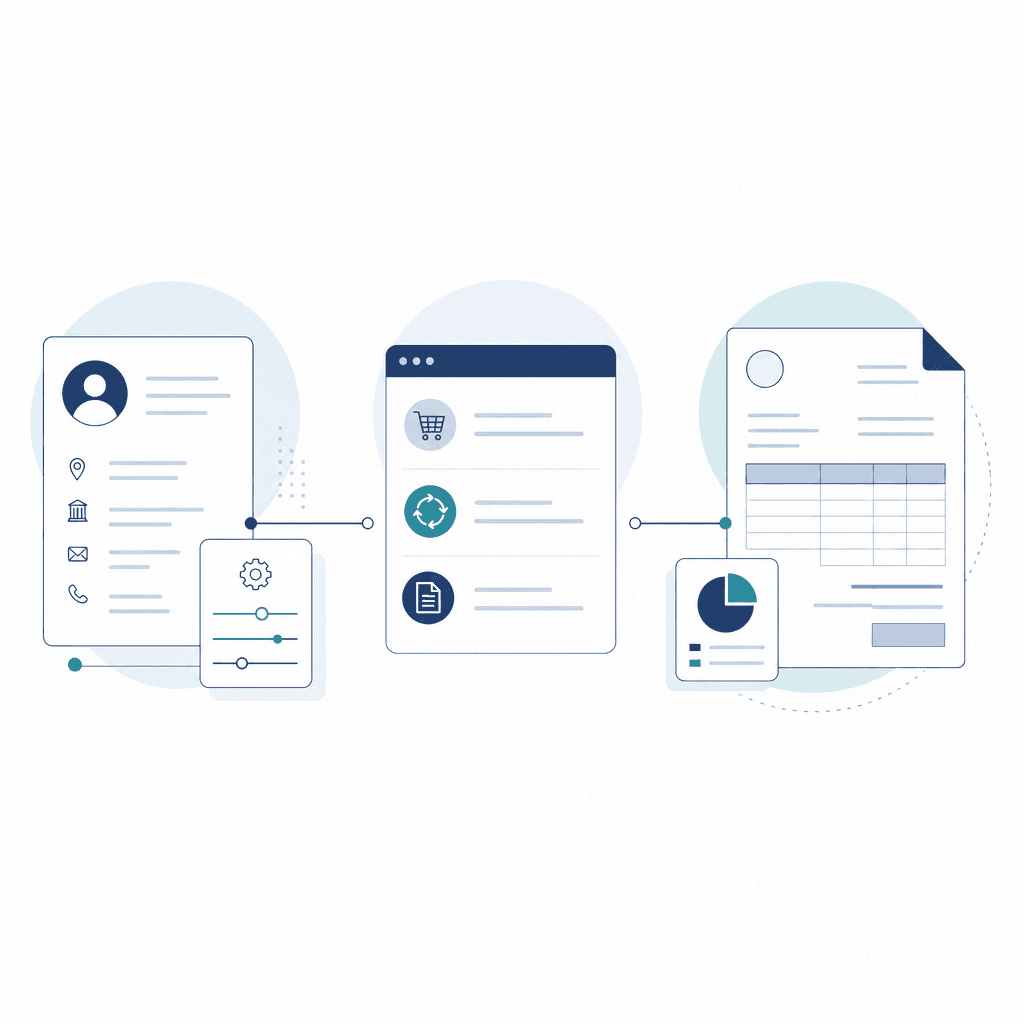
Before Oracle Fusion Accounts Receivable can process a single invoice, two things need to be in place: a properly structured customer record and correctly configured transaction types. Get either wrong and you will hit accounting errors, failed AutoAccounting derivations, or invoices that simply will not post.
The TCA Party Model for Customer Setup
Oracle Fusion AR uses the Trading Community Architecture (TCA) as its foundation for customer data. TCA organises customers across three levels: Party, Account, and Site.
- Party is the legal or logical entity — a company or individual. One party can have multiple accounts.
- Account represents the commercial relationship. Payment terms, credit limits, and collector assignments all live here.
- Site is a specific address tied to an account, with a defined purpose (Bill-To, Ship-To, or both). AutoAccounting rules frequently derive revenue and receivables accounts from the site's business purpose.
A single parent company can have separate billing accounts for different subsidiaries, each with its own sites. That flexibility is useful.
The problem comes when teams bypass TCA entirely and create duplicate party records instead. It feels like a shortcut. It creates data quality issues across reporting, dunning, and cash application — and we see it regularly during AR configuration reviews.
Transaction Types and What They Control
Every document in Oracle Fusion AR — invoice, debit memo, credit memo, chargeback — gets assigned a transaction type. That assignment is not cosmetic.
The transaction type controls:
- Transaction class: determines whether the document increases or decreases the customer balance.
- AutoAccounting rules: the transaction type feeds AutoAccounting, which derives receivable, revenue, freight, and tax accounts at the line level.
- Open receivable and post to GL flags: these determine whether a transaction updates the customer's balance and whether it posts to the General Ledger.
- Credit memo application rules: relevant when a credit memo needs to automatically match against an open invoice.
So what breaks when this is misconfigured? Usually the transaction class. A chargeback must have a transaction type class of Chargeback, not Invoice. The wrong class means the system will not generate the correct accounting entry. And downstream cash application breaks with it.
AutoAccounting and Transaction Type Errors
Three configuration mistakes cause the majority of AR posting failures: (1) AutoAccounting rules referencing a table segment that has no value mapped for a given transaction type or site, causing the account derivation to fail at invoice validation; (2) missing memo lines on debit memos, which leaves the revenue account blank; (3) setting a transaction type class to Invoice when it should be Credit Memo or Chargeback, which breaks downstream cash application and accounting symmetry.
Transaction Sources and Accounting Derivation
Transaction sources — sometimes called batch sources — define how invoices enter AR: manually, via AutoInvoice, or through an integrated system. They control whether transaction numbers are assigned automatically, whether duplicate checking is enforced, and which default transaction type applies.
This is where a subtle but common mistake appears.
If a transaction source points to a transaction type with incomplete AutoAccounting setup, every invoice imported through that source will fail validation. Not some. All of them.
AR Configuration Checklist Before Go-Live
- ✓Confirm TCA party, account, and site hierarchy is correctly structured for all customers
- ✓Verify Bill-To site has a business purpose assigned
- ✓Review all transaction types and confirm the correct transaction class is set (Invoice, Credit Memo, Debit Memo, Chargeback)
- ✓Validate AutoAccounting rules cover all segment combinations used across business units
- ✓Ensure memo lines are created and assigned to debit memo transaction types
- ✓Check that Open Receivable and Post to GL flags are enabled on active transaction types
- ✓Test a manual invoice and an AutoInvoice import through to GL posting before cutover
- ✓Confirm transaction source duplicate checking rules match your volume and import process
Getting this right upfront prevents the bulk of invoice-to-cash failures teams run into post-go-live.
Key Takeaways
- ✓TCA's three-level hierarchy — Party, Account, Site — is the structural foundation for all AR customer data and AutoAccounting derivations.
- ✓Transaction type class settings directly control accounting behaviour; using the wrong class corrupts both posting and cash application.
- ✓AutoAccounting failures almost always trace back to missing segment mappings tied to a specific transaction type or site combination.
- ✓Memo lines must be configured and attached to debit memo transaction types or the revenue account will not derive.
- ✓Transaction sources are not just import channels — they control default transaction types and duplicate checking, both of which affect data integrity.
- ✓Validating configuration end-to-end with a test invoice through to GL posting is the only reliable way to confirm setup before go-live.
Receipts and Automated Cash Application in Oracle Fusion AR
Collecting cash is only half the job. Applying it accurately and quickly is where Oracle Fusion Accounts Receivable earns its keep.
Oracle Fusion AR gives you three ways to get receipts into the system. Which one you use depends entirely on your volume and payment model.
Manual receipt entry is exactly what it sounds like — record the payment, select the open transactions, post. Fine for low volumes or one-off corrections. Does not scale. Lockbox processing is built for high-volume bank remittances: your bank sends a formatted file (BAI2 or a custom format), Oracle imports it through the lockbox transmission program, and receipt batches are created automatically, ready for matching. Automatic receipts work differently again. Oracle generates the receipt record itself based on a payment method — typically used with direct debit mandates where you're initiating the collection, not waiting for the customer to act.
Automated Cash Application Workflow in Oracle Fusion AR
Step 1
Receipt Import
Bank file or lockbox transmission is imported into Oracle Fusion AR and validated against format definitions.
Step 2
Receipt Batch Creation
Oracle creates receipt batches from the import data, grouping payments by bank account and currency.
Step 3
AutoMatch Execution
The AutoMatch engine runs match sequences against open transactions using configured rules, tolerances, and identifiers.
Step 4
Exception Review
Unmatched or partially matched receipts are flagged for manual review in the Apply Receipts workbench.
Step 5
Posting
Matched receipts are posted, closing open items and updating customer balances and accounting entries.
AutoMatch Rules and Configuration
AutoMatch is the engine behind automated cash application. It runs through a match sequence — an ordered list of identifiers Oracle uses to find the right transaction. Invoice number, purchase order number, transaction number, customer reference. Oracle works down the list until it finds a match or runs out of options.
Tolerances are what stop near-matches from clogging your exceptions queue. You define under- and over-application thresholds by amount or percentage. If a customer pays £5 short because they've deducted a small charge, a tolerance rule can close the invoice and post the underpayment as an adjustment — rather than leaving the item open indefinitely. That alone can dramatically reduce manual review volumes.
Most implementations fall short on exception handling. This is where we see it unravel.
Receipts AutoMatch can't resolve land in an exceptions queue. You can configure default rules for what happens next — automatically placing unmatched receipts on account, or routing them to a specific AR team. Without that configuration, exceptions accumulate fast. Your aged debt reporting starts to look worse than it actually is.
Insight
When configuring AutoMatch for complex receipt scenarios — such as multi-invoice remittances or customer-specific reference formats — build your match sequences around the most reliable identifier your customers actually use, not the one that looks cleanest in the data model. We have seen teams spend weeks debugging low match rates, only to find that customers were quoting purchase order numbers in a field mapped to transaction references.
Remittance Advice and Bank Reconciliation
When customers include invoice-level detail in their payment file, Oracle can pull that remittance advice data directly into AutoMatch — closing multiple invoices from a single receipt without manual intervention.
The more line-level detail you can capture, the higher your automatic match rate. It's that straightforward.
For bank reconciliation, Oracle Cash Management links directly to AR receipts. Cleared receipts match against bank statement lines, so treasury gets a clean view of outstanding items without anyone rekeying data from a spreadsheet.
Up to 80%
Proportion of receipts that can be automatically matched in well-configured Oracle Fusion AR implementations using AutoMatch, reducing manual cash application effort substantially.
Oracle Fusion AR Implementation Best Practice Guidance
Getting AutoMatch right takes real upfront work. Clean customer reference data, properly defined tolerances, a clear exception workflow. But when it's configured well, the majority of manual cash application disappears — and your AR ledger stays current without the team constantly firefighting.
Collections Management and Credit Control in Oracle Fusion
Collections management is where cash flow and customer relationships collide. Get it wrong and you're either burning bridges chasing invoices that are legitimately in dispute, or letting overdue balances sit unworked because your team is drowning in spreadsheets and email chains. Oracle Fusion AR's dedicated Collections module gives finance teams the structure to avoid both.
The Collector Workbench
The collector workbench is the main screen collectors live in. It surfaces overdue accounts prioritised by balance, aging bucket, or customer segment — so the highest-risk accounts get attention first, not just the ones someone remembers to check.
From one screen, collectors can review transaction history, log notes, send dunning correspondence, and record payment commitments. No toggling between AR inquiry screens and external tools. Everything documented inside the system.
Dunning plans control the sequence and timing of overdue correspondence. A typical setup might send a payment reminder at 15 days past due, a formal notice at 30, and an escalation letter at 60. Each template is configurable. Oracle Fusion tracks delivery status and customer responses automatically as invoices age through the thresholds.
Promise-to-Pay and Dispute Management
When a customer commits to paying by a specific date, collectors record a promise-to-pay (PTP) against the relevant invoices. The system then monitors whether that promise is kept.
Broken commitments get flagged automatically for follow-up.
This is more useful than it sounds. It creates a full audit trail of customer contact and agreed terms, which matters both for internal oversight and for dispute resolution when things get complicated.
Disputes are handled cleanly too:
- Invoices flagged as under review are pulled out of the collections queue
- Collectors aren't chasing amounts that are legitimately in question
- Once resolved, those invoices return to the standard workflow automatically
We see a lot of teams managing this manually — duplicate chasing, relationship damage, wasted time. This alone is a meaningful improvement.
Collections Workflow: Dunning to Escalation
Account Enters Collections Queue
An invoice passes the due date threshold defined in the collections strategy. The system assigns it to a collector based on territory or customer segment rules and surfaces it on the workbench.
Dunning Correspondence Sent
The system generates and sends a dunning letter according to the assigned dunning plan. The letter stage advances automatically as the invoice ages through configured thresholds.
Promise-to-Pay Recorded
The collector contacts the customer and logs a promise-to-pay against the outstanding invoice, including the committed payment date. The system monitors fulfilment against this date.
Broken Promise Flagged
If the payment is not received by the promised date, the system flags the account as a broken promise and returns it to the collector queue for immediate follow-up action.
Escalation and Credit Hold
Persistently delinquent accounts are escalated to a credit manager. A credit hold can be applied, blocking new orders from processing until the outstanding balance is resolved.
Credit Management Integration
The best collections outcome is avoiding the problem in the first place.
Oracle Fusion AR integrates with the Credit Management module to control exposure upstream — before accounts go overdue and land in the collector workbench. Credit limits are set at the customer or account level, and can apply across all business units or be scoped by trading relationship.
The tricky part is keeping those limits current. That's where credit scoring comes in. Oracle Fusion uses configurable scoring models that weight factors like payment history, days past due, and outstanding balance. When a score drops below a defined threshold, the system can trigger an automated review or flag a recommended limit reduction. Credit analysts work through a review queue that functions similarly to the collector workbench — structured, prioritised, and tracked inside the system rather than managed ad hoc.
So what happens when a customer exceeds their limit?
Hold management is where credit decisions get real operational teeth. A hold is applied directly in Oracle Order Management — blocking shipment until a credit manager releases it. AR decisions don't sit in a finance silo. They have immediate consequences for fulfilment, which means internal teams take them seriously.
No verified statistic available
We have not included a statistic in this section as no independently verifiable figure specific to Oracle Fusion Collections performance was available. Fabricated statistics have been omitted in line with editorial standards.
AppsolveGroup editorial policy
What is a dunning plan in Oracle Fusion AR?
A dunning plan defines the sequence and timing of collection correspondence sent to overdue customers. You configure aging thresholds and assign letter templates to each stage. The system sends letters automatically as invoices age through those thresholds.
How does promise-to-pay tracking work?
Collectors record a promise-to-pay against specific invoices, noting the date the customer has committed to pay. Oracle Fusion monitors whether payment arrives by that date and flags broken promises for follow-up, creating a full audit trail of customer contact.
Can disputed invoices be excluded from collections activity?
Yes. Invoices flagged as disputed are removed from the active collections queue. They re-enter the workflow automatically once the dispute is resolved, so collectors are not chasing amounts that are legitimately under review.
How does credit hold integration with Order Management work?
When a credit hold is applied in Oracle Fusion Credit Management, it blocks new orders from being processed in Oracle Order Management. The hold is released by a credit manager once the customer meets the required conditions, such as reducing their outstanding balance.
Can credit scoring models be customised?
Yes. Oracle Fusion allows you to define your own scoring criteria and weightings within the Credit Management module. Factors such as payment history, current balance, and days past due can each be assigned a score weight that reflects your organisation's credit policy.
AR Reporting, Reconciliation, and Period Close Best Practices
Accurate reporting and a clean period close are where the discipline of oracle fusion accounts receivable either holds together or falls apart.
Skip a structured approach and errors compound fast. Audit trails become hard to trace. What started as a small gap becomes a much bigger problem by the time anyone notices.
Key AR Reports to Run Regularly
Most AR teams underestimate how much visibility Oracle Fusion's reporting gives them — if they're actually using it. These are the reports every AR team should be running as a matter of routine:
- Aging Analysis – Shows outstanding receivables by bucket (current, 1–30, 31–60, 61–90, 90+ days). Use this to identify slow-paying customers and flag accounts for collections review.
- Customer Statements – Sent to customers to confirm open balances. Generate these after all receipts for the period are applied — not before.
- Transaction Register – A full list of invoices, credit memos, and adjustments posted in a given period. Use this to verify completeness before closing.
- Revenue Reports – Break down recognised revenue by transaction type, business unit, or revenue account. Run these for period-end validation.
Most of these are accessible through Oracle Transactional Business Intelligence (OTBI). It lets you build custom views, schedule delivery, and filter by parameters that standard Oracle reports don't expose.
If your team is still pulling reports manually from the AR module alone, you're leaving a lot of flexibility on the table.
Related Reading in This Series
Reconciling the AR Sub-Ledger to the General Ledger
The AR sub-ledger and the General Ledger must agree before a period can close. Oracle Fusion handles this through SLA (Subledger Accounting), which generates journal entries directly from AR transactions.
So what actually causes reconciliation to break? Usually it's a few predictable things.
Journals that were never transferred. Transactions stuck in an incomplete state. Manual GL entries posted directly to AR-linked accounts without a matching sub-ledger entry. We see that last one more than you'd expect.
Run the Accounts Receivable to General Ledger Reconciliation Report as a standard pre-close step. It surfaces differences between the AR trial balance and the GL AR control account. Any variance needs to be resolved at source — adjusting the GL manually to make the numbers match just creates a permanent reconciling item. It doesn't fix anything.
Insight
In our experience, most AR-to-GL reconciliation breaks trace back to unposted journals or draft transactions that were never completed. A consistent pre-close checklist eliminates the majority of these before they become a problem.
Period-End Close Best Practices
AR Period Close Checklist
- ✓Apply all open receipts before running final aging reports
- ✓Complete or cancel all draft transactions (invoices, credit memos) still in incomplete status
- ✓Transfer and post all AR journal entries to the General Ledger via SLA
- ✓Run the AR to GL Reconciliation Report and clear any variances
- ✓Generate and review the Transaction Register for completeness
- ✓Confirm revenue account distributions are correct before closing the period
- ✓Close the AR period in Oracle Fusion only after GL reconciliation is confirmed
Closing a period with unresolved drafts or unapplied receipts doesn't make those problems disappear. It pushes them into the next period, where they're harder to untangle.
The teams that keep AR clean aren't doing anything complicated. They're disciplined at close: working through the checklist, resolving issues before they carry forward, and not treating reconciliation as optional. That consistency is what makes audit time straightforward instead of stressful.
Optimise Your Oracle Fusion AR Processes with Expert Support
Getting Oracle Fusion AR configured correctly from the start matters more than most teams realise. Done well, it reduces manual work, tightens your order-to-cash cycle, and gives finance real confidence in the numbers.
Done poorly, it creates exceptions, workarounds, and reconciliation headaches that compound over time.
Whether you're planning a fresh implementation, reviewing a setup that's drifted from requirements, or looking for ongoing managed support — the difference between a team that knows Oracle Fusion Financials in depth and one that doesn't shows up quickly.
At AppsolveGroup, we work directly with finance leaders and AR managers to get the configuration right. Transaction type design, receipt method setup, collections rules, period-close controls. We work through the detail, not around it. No generic templates.
If your AR process is throwing up cash application exceptions, reconciliation delays, or manual workarounds — those aren't just annoyances.
They're a signal something in the configuration isn't aligned with how your business actually operates. That's fixable. We can review your current setup, identify exactly where the gaps are, and implement changes that hold.
Oracle Fusion AR Support and Implementation
Get expert help with Oracle Fusion Accounts Receivable — from initial configuration to ongoing managed support for your finance team.
Talk to Our Oracle TeamRelated Oracle Fusion Financials Guides
© 2024 AppsolveGroup. All rights reserved.
You might also find helpful
Oracle Fusion Managed Support Services
Ongoing managed support for Oracle Fusion Financials from a team that knows the platform in depth.
Oracle Fusion General Ledger
How the GL integrates with AR through Subledger Accounting and period-close processes.
Oracle Fusion Accounts Payable
The supplier-side counterpart: invoice automation, matching and payment controls.
Oracle Fusion Financial Reporting
FRS, OTBI and Smart View for reporting on posted receivables.
Oracle Fusion vs Oracle EBS
What changes when you move from E-Business Suite to Oracle Fusion Cloud.
Optimise Your Oracle Fusion AR Processes with Expert Support?
Talk to APPSolve Group for clear, practical guidance from an experienced Oracle partner.
Get in touch about Oracle Fusion Accounts Receivable
Kirankumar and Gavin and the wider APPSolve Group team can talk through your situation — no obligation, no generic sales pitch. Just a direct conversation about what a realistic path forward looks like.